




After the shipment · Invoice leakage control
Verify the Final Freight Charge Before Payment
The award records what was agreed. The shipment records what happened. The invoice records what was billed. Logistware connects all three so finance and transportation teams can compare charges, review supporting evidence and make a documented decision before payment.
A difference is a question to review, not a payment decision.
One shipment. Three records.
What was agreed. What happened. What was billed.
A freight invoice audit is more useful when the commercial decision and the completed shipment remain connected to the final invoice.
What was agreed
- Carrier offer
- Awarded rate
- Agreed terms
- Fuel assumptions
- Accessorial terms
What actually happened
- Tracking
- Appointments
- BOL and POD
- Communication
- Shipment activity
What was finally billed
- Linehaul
- Fuel
- Accessorials
- Miscellaneous charges
- Final total
Connect the agreement, execution evidence and final charge in one review.
The invoice control process
From invoice received to a documented human decision
Freight rate reconciliation creates a review path. The responsible team owns approval, questions and resolution; the system does not automatically reject an invoice or withhold payment.
- Step 01
Invoice received
Associate the invoice and line items with the completed shipment.
- Step 02
Connect award + evidence
Bring the offer, agreed terms and available shipment records into the review.
- Step 03
Compare charges
Review linehaul, fuel and other charges against the commercial record.
- Step 04
Surface the difference
Identify variances and the evidence or clarification needed.
- Step 05
Human review
Finance and transportation assess the agreement and shipment facts.
- Step 06
Approve / question / resolve
The responsible team decides and records its next action.
Illustrative line-item review
A $220 difference becomes a documented question
The linehaul matches. Fuel differs, and detention appears on the invoice. The dash means no detention amount appears in this demo award record; it does not establish whether the charge is valid. Review the agreed terms and shipment evidence.
Award-to-invoice comparison
Supporting evidence, beside the difference
| Item | Agreed | Invoice | Status |
|---|---|---|---|
| Linehaul | $2,000 | $2,000 | MATCH |
| Fuel | $420 | $460 | REVIEW |
| Border / Misc | $75 | $75 | MATCH |
| Detention | — | $180 | REVIEW |
| Total | $2,495 | $2,715 | REVIEW |
$40 fuel difference + $180 detention charge. Review required.
Connected post-shipment tools
Don’t review the invoice without the shipment
Invoice control is stronger when the rate record, freight documents, tracking and communication remain connected after delivery.
The original decision
Awarded carrier offer · agreed pricing · agreed terms · bid history
Final invoice + supporting evidence
Trace the question back to the record that can explain it.
The completed execution
BOL · POD · tracking events · appointments · delivery information · freight communication · supporting shipment documents
Awarded rate history
Keep the accepted bid and award decision available when the final invoice arrives.
Explore RFQ intelligenceDocument exchange
Keep BOLs, PODs, photos and supporting files with the correct shipment.
Explore document exchangeTracking and events
Review pickup, delivery and visibility records when timing or service affects a charge.
Explore freight trackingFreight communication
Keep instructions, exception discussions and responsible parties close to the shipment record.
Explore live chatFuel + accessorial review
The final difference is often in the details
Linehaul can match while other charges change the final total. Surface differences against agreed terms for human review, with the relevant fuel and shipment context when available.
Linehaul
Compare the awarded amount and service terms.
Fuel
Review the agreed formula, assumptions and reference information where available.
Border / Miscellaneous
Check the specific charge and the terms that support it.
Detention
Review timing, appointments and applicable detention terms.
Layover
Review shipment events, communication and agreed conditions.
Accessorials
Connect the requested service, authorization and supporting documents.
Other agreed charges
Check what was agreed and what evidence explains the invoice line.
A differing charge can be valid. Available fuel logic, reference dates and shipment evidence provide context; finance and transportation determine the next action.
AI-assisted variance review
Make the difference visible. Keep judgment with people.
AI-assisted review can help identify differences that deserve attention. A review signal supports the team’s assessment of the commercial terms and shipment evidence.
The facts available to review
- Agreed total
- $2,495
- Invoice total
- $2,715
- Difference
- $220
- Supporting evidence
- POD / tracking / appointment record
Evidence availability does not establish charge validity.
What deserves a closer look
- MATCH
Linehaul aligns with the awarded amount.
- REVIEW
Fuel is $40 above the expected amount in this demonstration; review the reference and agreed formula.
- REVIEW
A $180 detention charge appears on the final invoice; review applicable terms and shipment timing.
- EVIDENCE AVAILABLE
Review the POD, tracking and appointment record alongside the charge.
Finance and transportation teams make the decision.
Suggestions depend on available records. The team evaluates the evidence, communicates with the carrier and records approval, questions or resolution.
Completed freight history
Turn completed shipments into better future decision context
Keep the review outcome with the completed shipment. Commercial, cost and service history can inform the next freight decision without assuming that past results predict future performance.
- Lane history
- Carrier history
- Awarded rate history
- Invoice variance history
- Service / shipment history
- Future RFQs
- Carrier discussions
- Lane reviews
- Transportation planning
- Cost analysis
Executive cost visibility · Fictional demonstration
See the questions across the operation
Individual shipment differences can roll into management visibility: what has been reviewed, where questions remain and which charge types recur. Keep each summary connected to its supporting review record.
Fictional completed reviews
Shipments with a difference flagged
Sum of unresolved demo differences
Within this fictional review set
Illustrative data only. These are not Logistware customer results. Amount under review is not recovered savings, an approved credit or a confirmed overcharge.
See the complete before / during / after story
Complete the enterprise freight cycle.
Invoice Leakage Control completes the Logistware Enterprise Freight Savings process. See how freight decisions connect before, during and after the shipment—from carrier award to execution evidence and final invoice review.
Explore Logistware Enterprise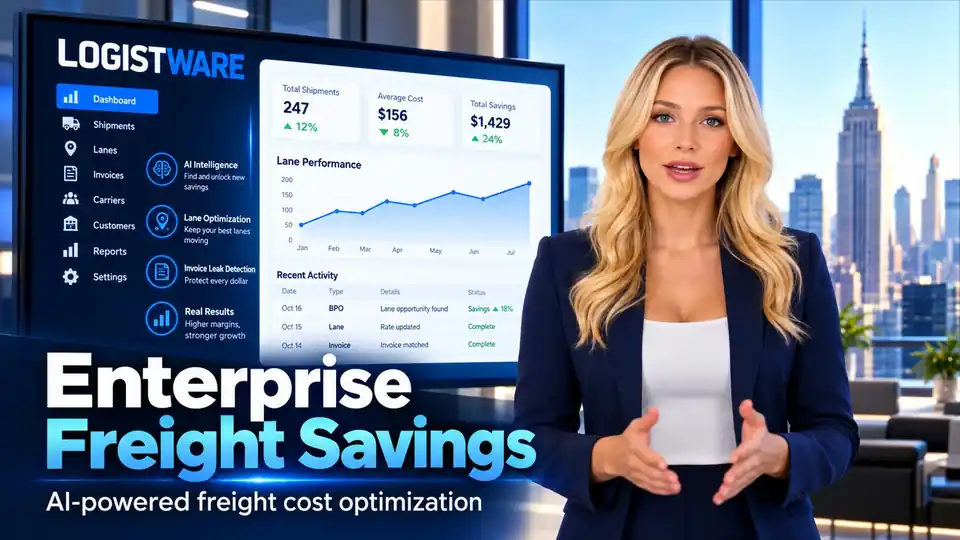
Enterprise Freight Savings
One decision path from award to final charge.
Use the three stages together to keep commercial decisions, operating information and shipment evidence connected.
Compare the opportunity before awarding freight.
Compare carrier offers, cost components and operating fit before commitment.
RFQ Intelligence 02 · DuringProtect the pickup and monitor readiness.
Monitor readiness, identify pickup risk and give the team more time to respond.
Lane Continuity 03 · AfterCompare what was agreed with what was billed.
Review the final charge against the awarded rate and shipment evidence.
Invoice Leakage ControlCommon questions
Freight invoice leakage control
What is freight invoice leakage control?
Freight invoice leakage control connects the carrier award, agreed terms and completed shipment evidence with the final invoice so differences can be identified and reviewed before payment.
Which records support a freight invoice audit?
Available records can include the awarded carrier offer, agreed pricing and terms, bid history, BOL, POD, tracking events, appointments, delivery information, freight communication and supporting shipment documents.
Does a variance mean the carrier invoice is wrong?
No. A difference requires review. Its validity depends on the agreed terms and shipment facts. Supporting evidence helps the responsible team understand the charge.
Can fuel and accessorial charges be reviewed?
Yes. The team can compare fuel, detention, layover, border or miscellaneous charges and other accessorials against agreed terms. Fuel logic and reference information can provide additional context where available.
What does AI-assisted review do?
AI-assisted review can surface differences and suggest which evidence deserves attention. Its suggestions depend on the available records. Finance and transportation teams evaluate the facts and decide the action.
Does Logistware automatically reject invoices or withhold payment?
No. Logistware supports comparison and documented review. The responsible team decides whether to approve, question or resolve an invoice and owns the payment decision.
Does invoice review guarantee savings, a refund or a credit?
No. Visibility and review support do not guarantee a reduction, refund, credit or payment outcome. Any resolution depends on the agreement, evidence and parties involved.
How does completed shipment history support future freight decisions?
Lane, carrier, awarded rate, invoice variance and service history can provide context for future RFQs, carrier discussions, lane reviews, transportation planning and cost analysis. Past records do not guarantee future outcomes.
Are the figures shown on this page actual customer results?
No. All shipment amounts, comparisons and executive metrics shown here are fictional demonstrations. Amount under review represents questions to assess, not confirmed savings or recovered funds.
Strengthen post-shipment control
See where award-to-invoice review can support your freight operation
Bring a sample invoice process, lane or recurring variance. Logistware will show how commercial records and shipment evidence can support a clearer review.
