




Ontario Load Board — Find Truck Loads & Post Freight.
Find truck loads in Ontario, post freight and connect with transportation partners through Logistware. Our Canadian load board brings carriers, shippers and freight brokers together across Ontario, Canada and Canada–U.S. freight lanes.
From a GTA pickup to a Windsor cross-border move, keep bids, shipment communication and delivery records connected to the load.
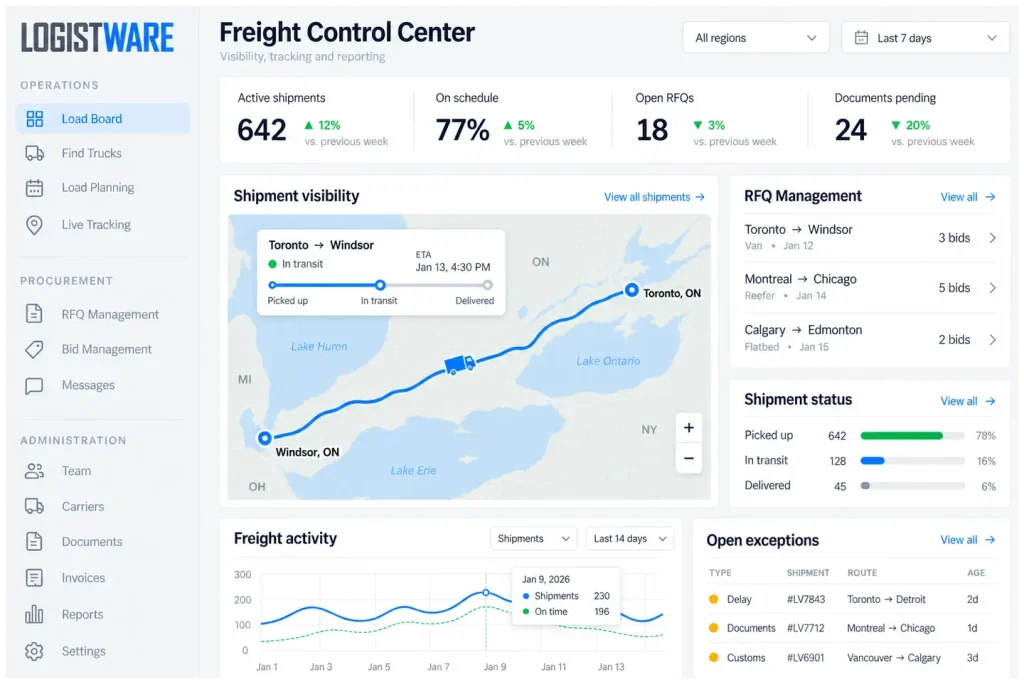
Local pickups. Provincial lanes. Cross-border opportunities.
Explore Ontario freight loads by the areas you serve. Give carriers the exact locations, equipment requirements and pickup windows they need to evaluate each shipment.
Toronto freight
Coordinate warehouse pickups, city deliveries and distribution freight. Include loading access, appointment times and any tailgate or inside-delivery requirements.
Explore the Toronto load board →GTA connections
Find and post freight around Mississauga, Brampton, Vaughan and surrounding communities. Share the actual facility address and receiving schedule before booking.
Explore GTA freight →Industrial & regional moves
Plan manufacturing, building-material and regional freight with clear weight, dimensions and loading instructions. For Niagara border lanes, confirm the planned crossing with your carrier.
Explore Hamilton freight →Connect your next lane
Review truck loads around London and Southwestern Ontario. Carriers can share available truck locations and schedules when looking for outbound or return freight.
Explore London truck loads →Ontario–Michigan freight
Coordinate Windsor-area shipments and cross-border lanes. Confirm carrier authority, customs arrangements and pickup readiness with the parties handling the move.
Explore Windsor freight →Eastern Ontario reach
Post Ottawa-area freight and review connections to other Ontario and Canadian destinations. Specify stop details, delivery appointments and equipment needs.
Explore Ottawa freight →Shipment and truck availability changes with member postings. Open the load board to review current opportunities.
Built around your role in the shipment.
Bring the people arranging, hauling and delivering Ontario freight into the same shipment workflow.
Carriers
Find Ontario trucking loads that fit your lanes and equipment, post truck availability, submit bids and discuss shipment requirements. Manage awarded freight with your dispatch team.
Explore the load board for carriers →Shippers
Post freight in Ontario with clear cargo and scheduling details. Review carrier bids, compare service suitability and select capacity while keeping the shipment visible through delivery.
Explore shipper tools →Freight brokers
Source transportation capacity, review offers and confirm requirements with carriers. Keep bid discussions and shipment communication together as you coordinate customer freight.
Open the load board →Dispatchers & drivers
Handle assignments, share shipment updates and keep pickup and delivery details close at hand. Exchange the documents your team needs to complete each awarded load.
Access your shipment workspace →From the first posting to proof of delivery.
A clear process helps every participant understand the load, agree on the work and follow the shipment.
Post freight or availability
Enter the shipment’s route, cargo, equipment and timing. Carriers can post where and when their trucks are available.
Find the right fit
Review loads or capacity against the lane, schedule and equipment your operation needs.
Review & negotiate bids
Compare offers and discuss rates, service details and any additional charges before accepting a bid.
Award the shipment
Select your transportation partner and confirm the agreed rate, pickup requirements and delivery expectations.
Assign, track & communicate
Coordinate driver assignments, follow shipment progress and keep operational conversations tied to the load.
Complete & document
Exchange BOLs, proof of delivery and related files so the completed shipment has an organized record.
Less switching. More connected freight work.
Keep the practical tools for finding, awarding and coordinating loads close to the shipment.
Load & truck matching
Review shipments and truck availability against routes, equipment and schedules.
Bids & counteroffers
Discuss pricing and service requirements before making an award decision.
AI-assisted entry
Use supported AI entry tools to help prepare shipment details, then review the information before posting.
Freight tracking
Follow active shipment progress using tracking updates available for the load.
Live freight chat
Keep pickup instructions, bid questions and delivery updates connected to the shipment.
Digital documents
Exchange bills of lading, proof of delivery, photos and other shipment files.
Team & dispatch
Coordinate dispatcher responsibilities, driver assignments and awarded loads.
Member review
Review partner profiles and submitted information as part of your carrier selection process.
Greater control before, during & after every shipment.
For manufacturers and larger shipping teams, Logistware Enterprise connects freight sourcing, lane readiness and invoice review in a more structured process.
RFQ Intelligence
Organize freight RFQs, compare carrier bids and pricing, review capacity and service suitability, and give your team a clearer basis for carrier awards.
Explore RFQ Intelligence →Lane Continuity
Review carrier readiness, operational checkpoints and early risk signals. Keep shipment visibility connected to the preparation of qualified backup options.
Explore Lane Continuity →Invoice Leakage Control
Compare awarded transportation rates with final invoices, identify differences and support charge review with shipment records and delivery evidence.
Explore Invoice Leakage Control →Enterprise solutions are available through Logistware Enterprise. Access and implementation are arranged separately from standard load board registration.
Connect Ontario lanes with U.S. destinations.
Find and post Ontario to USA freight loads, including lanes connecting with Michigan, New York and other U.S. destinations. Compare carrier bids and coordinate shipment communication, tracking and documents through Logistware.
Make the border part of the plan.
- Confirm the intended crossing and receiving appointment with your carrier.
- Share commodity details, cargo weight and the required shipment documents.
- Confirm customs-broker contacts and clearance responsibilities with your transportation partners.
- Agree on currency, included services and applicable accessorial charges before award.
Customs clearance, permits and regulatory requirements remain with the responsible shipper, carrier and customs providers.
Canadian roots. Connected freight decisions.
Logistware is a Canadian logistics software company bringing Ontario freight into the same load board used for Canadian and North American lanes.
Your team stays in control of rates, carrier selection and shipment decisions, with tools that keep the work organized from posting through delivery.
Built for the way your team moves freight.
- One connected load board for carriers, shippers, brokers, dispatchers and drivers.
- Equipment requirements for dry van, reefer, flatbed, LTL and specialized moves.
- Shipment communication, tracking and documents tied to the load.
- Mobile-friendly workflows for office teams and drivers.
- Human decisions supported by practical freight technology.
- Specialized enterprise solutions for sourcing, continuity and invoice review.
Ontario load board FAQs
How do I find truck loads in Ontario?
Register or log in to Logistware, review posted freight and select opportunities that fit your pickup area, destination, equipment and schedule. You can also post truck availability and submit bids on suitable loads.
How can I post an Ontario freight shipment?
Open the load board and enter the pickup and delivery locations, cargo details, weight, equipment requirements and schedule. Review incoming carrier bids and confirm the rate and service details before awarding the shipment.
Do I need a separate Ontario account?
No. Ontario freight uses the same Logistware account and load board as Canadian and cross-border shipments. Register through the Logistware application and complete the information required for your business role.
What equipment details should I include?
Specify the equipment type, cargo weight and dimensions, loading method and any special handling needs. For refrigerated, flatbed, LTL or specialized freight, include the temperature, securement, space or service requirements relevant to the shipment.
Can I find Ontario–USA cross-border freight?
Yes. Logistware supports Canadian and U.S. freight lanes, including Ontario cross-border postings. Review current availability and confirm carrier eligibility, border arrangements and documentation with the parties handling the shipment.
How does carrier vetting work?
Logistware reviews submitted profile and compliance information as part of registration and vetting. Before awarding freight, review the carrier’s information and confirm that its authority, insurance, equipment and service capabilities meet your shipment requirements.
Can I review bids and negotiate before awarding a load?
Yes. Shippers and freight brokers can review carrier bids, discuss requirements and accept, reject or counter offers. Confirm the agreed rate, currency, included services and pickup and delivery expectations before making the award.
Are enterprise freight solutions included with registration?
Standard load board registration and Logistware Enterprise are separate offerings. Enterprise solutions include RFQ Intelligence, Lane Continuity and Invoice Leakage Control; access and implementation are arranged with Logistware Enterprise.
Your next Ontario load starts here.
Find freight that fits your operation, post your next shipment or explore greater control over your enterprise freight process.