




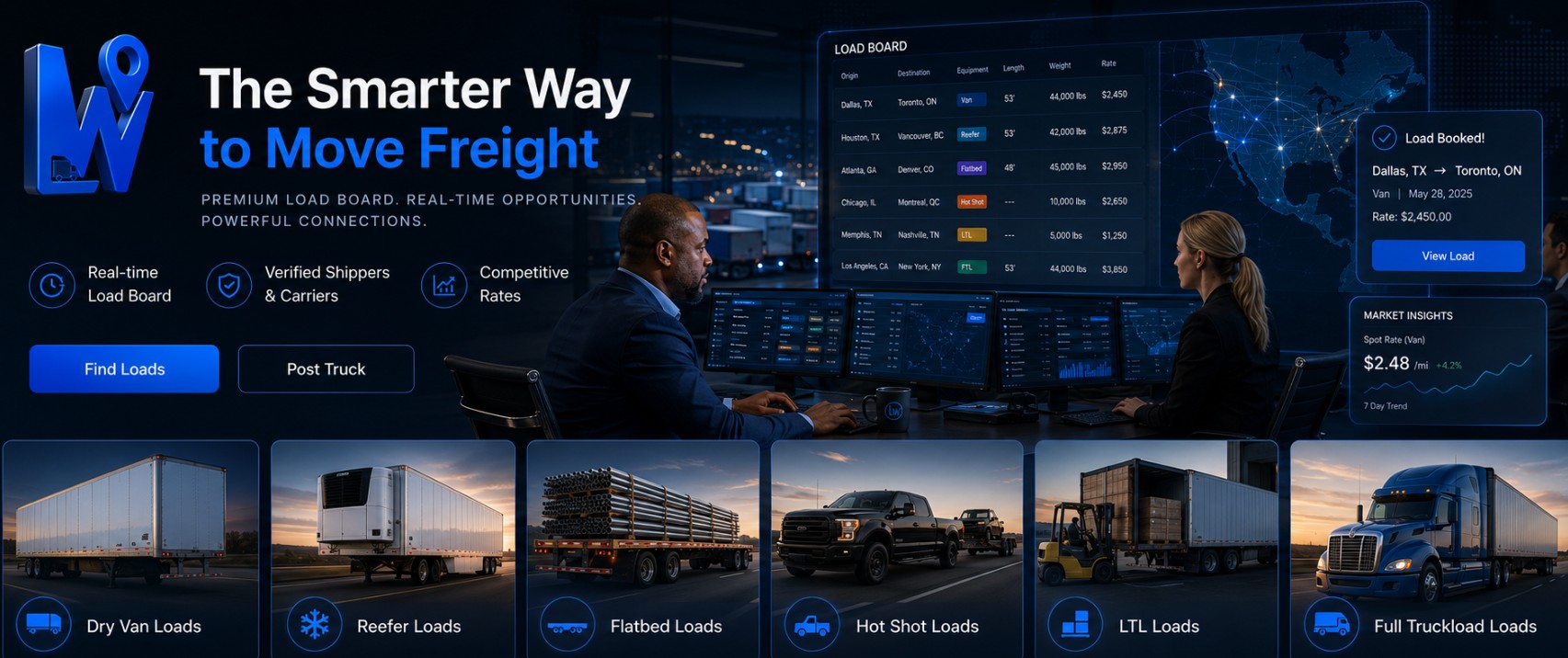
Post a Load Canada | AI-Powered Freight Platform for Shippers & Brokers | Logistware
Use Logistware to post freight across Canada and on Canada–U.S. cross-border lanes.
Add your pickup, destination, timing, freight and equipment requirements, then let
carriers review the shipment and place bids. You can accept, reject or counter offers,
award the load and keep tracking, chat, documents and shipment activity together through delivery. Posting a load means making a commercial freight shipment available for carriers to review.
The shipper or freight broker provides the information a carrier needs to evaluate the move:
where the freight picks up, where it delivers, when it needs to move, what equipment is required
and any important shipment details. A clear posting helps carriers decide whether the load fits their truck, lane and schedule.
Instead of treating the posting as a vague request for a truck, Logistware gives the shipment
a structured place where carriers can review the opportunity and submit an offer. Loads can move within one province, between Canadian provinces or across the Canada–U.S. border.
The same Logistware account can support those different lanes without requiring a separate freight
posting system for each market. Logistware is a load board, so the core process is straightforward: describe the shipment,
make it available to carriers, review bids and award the load when the commercial terms work. Enter the origin, destination, timing, freight information and equipment requirements.
If the shipment has special handling, temperature, site-access or delivery instructions,
include them so carriers can evaluate the move before they bid. Freight brokers can post customer shipments, review incoming carrier bids and negotiate
through accept, reject and counteroffer actions. Once terms are agreed, the load can be
awarded and managed through the same Logistware account. The freight posting is the first step. Logistware can remain useful through carrier bidding,
award, driver assignment, tracking and final delivery documents. Add the route, freight, timing and equipment requirements. Make the shipment available for carriers using Logistware to review. Interested carriers can submit an offer on the posted shipment. Review offers and continue negotiating until the commercial terms are agreed. Award the load; the carrier can assign it to the appropriate driver. Use tracking, chat and documents through pickup, transit and proof of delivery. Logistware can use AI-assisted shipment tools to reduce repetitive manual entry.
Where the feature is available, uploaded freight documents such as PDFs and EDI Advanced
Ship Notice files can help create shipment details from information that already exists
in the shipper's paperwork. AI can also support route- and lane-aware freight planning. That is different from claiming
that the system automatically chooses the perfect carrier, guarantees the lowest rate,
analyzes proprietary real-time rate benchmarks or predicts every shipment outcome. The shipper or broker remains in control of the posting, the carrier bid and the final
transportation decision. A useful load board creates a place for freight and trucks to connect. It should not promise
that every posted load will instantly receive a qualified carrier or that an algorithm can
guarantee the best transportation partner. Carriers can evaluate the route, equipment, timing and freight requirements before deciding
whether the load fits their operation. If it does, they can submit a bid through Logistware. The shipper or broker can compare available offers, accept or reject a bid, or make a
counteroffer. The parties determine the commercial terms rather than relying on an unsupported
promise that software automatically selects the “best” carrier. Logistware can manually review submitted profile information and applicable authority
or compliance documents before approving load-board access. That provides useful business
context for shippers, brokers and carriers using the service. The process should not be described as guaranteeing every carrier, continuously validating
insurance, maintaining universal safety scores or providing verified on-time delivery percentages
unless those exact capabilities are supported by current product data. Before awarding a shipment, the parties should still confirm the insurance, operating authority,
equipment, shipment requirements and commercial terms that apply to the actual move. Freight posting is only the beginning. Logistware combines carrier bidding with shipment
visibility, direct communication, freight documents and team tools that remain useful after
the shipment is awarded. Use freight documents and AI-assisted tools to reduce repetitive shipment entry where available. Carriers can bid while shippers and brokers accept, reject or counter offers before awarding the load. Logistware is designed around clear subscription pricing with no hidden fees and no long-term contract. Real-time shipment tracking, direct chat and freight-document exchange remain available through delivery. Shippers can add team members, while carriers can manage dispatchers and drivers and assign awarded loads. Use the same Logistware account for Canadian, U.S. and Canada–U.S. cross-border freight lanes. Larger shippers and carriers can ask about a tailored portal when their freight,
team structure or account requirements call for a more customized Logistware setup.
Custom portals are available upon request. Once a carrier is selected, Logistware can remain part of the shipment instead of becoming
just a posting screen. Authorized users can follow the load as it moves and keep important
freight communication accessible during pickup and delivery. Real-time tracking gives shippers and carriers visibility into an active load as it moves
from pickup toward delivery. It does not guarantee an exact ETA or eliminate outside delays
such as traffic, weather, border processing or site conditions. Live chat can be used for pickup questions, appointment updates, delivery instructions and
other shipment communication. It should not be described as guaranteeing permanent legal
records or eliminating disputes. Drivers can upload shipment documents and photos from the mobile app, giving carrier
dispatchers, shippers and other authorized users a clearer place to access paperwork
associated with the load. That can include bills of lading, proof of delivery, shipment photos and other freight files.
The useful claim is straightforward: document exchange can reduce the need to chase files
across separate messages and inboxes. It does not need to promise that paperwork is stored
“permanently” or that every possible cross-border document is automatically handled. A load posted from Canada may stay domestic or continue into the United States.
Logistware supports Canadian, U.S. and Canada–U.S. cross-border freight lanes so shippers,
brokers and carriers can use the same account for both types of transportation. The load board can support the commercial freight connection and shipment activity before
and after award across North American lanes. Customs clearance, brokerage, carrier authority, government filings and shipment-specific
regulatory responsibilities remain with the appropriate parties and external systems. Logistware supports all truck and equipment types. The posting should describe the actual
freight and equipment requirement so carriers can decide whether the load fits their truck
and operating plan. Dry Van, Reefer, Flatbed, Hot Shot, Sprinter Van, LTL and Heavy Haul are examples only.
Weight, dimensions, temperature, securement, loading method and other shipment-specific details
should determine the equipment required. For the broader all-role freight experience, visit the Logistware Load Board. A Canada-wide freight posting strategy can include short regional moves, interprovincial
truckload freight and longer routes connecting major Canadian freight markets. Related
Logistware pages provide more specific location context while the same load board supports
the actual posting and carrier-bid process. Create the shipment with its pickup, destination, timing, freight and equipment details,
then publish it so carriers using Logistware can review the opportunity and place bids. Shippers and freight brokers can use Logistware to post commercial freight and manage
carrier offers. Carriers use the load board to post truck availability, find shipments
and place bids. No. Carrier interest depends on the lane, timing, equipment, freight, rate expectations
and the carriers active in the load board at that time. Logistware should not be described
as guaranteeing bids or carrier availability. Yes. Carriers can place bids, while shippers and freight brokers can accept, reject
or counter offers until the parties agree and the load is awarded. Yes. AI-assisted shipment tools can reduce repetitive entry, including helping create
shipment details from uploaded PDFs and EDI ASN documents where the feature is available. Yes. Logistware includes real-time shipment tracking so authorized users can follow
load progress after award, subject to the tracking data available from the active shipment. Yes. Carrier drivers can use the mobile app to upload bills of lading, proofs of delivery,
shipment photos and other freight documents associated with an awarded load. Yes. Logistware supports Canadian, U.S. and Canada–U.S. cross-border freight lanes.
Customs clearance, carrier authority and shipment-specific regulatory requirements remain
with the appropriate parties. This page does not claim proprietary real-time rate benchmarks, universal carrier
performance percentages or shipper payment-history scoring. Users should evaluate the
information actually available in the current product and conduct shipment-specific due diligence. Yes. Larger shippers and carriers can ask about a tailored portal when their freight,
team structure or account requirements call for a more customized setup. Custom portals
are available upon request. Open Logistware to create your shipment, receive carrier bids and manage the load through
award, tracking and delivery. For the broader carrier, shipper and broker experience,
the Logistware homepage remains the main destination for the full load board. Keep access to loads, messages, shipment tracking and freight documents close at hand
on iPhone, iPad or Android. Post a Load Canada: Post Freight & Receive Carrier Bids
What Does It Mean to Post a Load in Canada?
How Shippers and Freight Brokers Post a Load Canada-Wide
Post Your Freight Requirements Clearly
Post Loads & Manage Carrier Offers
How to Post a Load in Canada with Logistware
Enter Shipment Details
Publish the Load
Receive Carrier Bids
Accept, Reject or Counter
Award & Assign
Track to Delivery
Use AI to Reduce Repetitive Work When You Post Freight
Receive Bids Instead of Promising an Automatic Carrier Match
Review the Shipment & Place a Bid
Review, Counter or Award the Load
Carrier Vetting Supports Better Decisions—It Does Not Replace Them
What Happens After You Post the Load?
AI-Assisted Shipment Entry
Carrier Bids & Counteroffers
Straightforward Pricing
Tracking, Chat & Documents
Teams, Dispatchers & Drivers
North American Freight
Custom Portals Built Around Your Business
Track the Shipment and Keep Freight Communication Together
Follow Shipment Progress
Keep the Parties in Direct Contact
Keep BOLs, PODs, Photos and Shipment Files Easier to Access
Post Canadian and Cross-Border Freight from the Same Account
Posting, Bidding, Tracking, Chat & Documents
Customs, Authority & Regulatory Requirements
Post Loads for Any Truck or Equipment Type
Post Freight Across Canadian Provinces and Major Markets
Questions About Posting Freight in Canada
How do I post a load in Canada with Logistware?
Who can post freight on Logistware?
Does posting a load guarantee carrier bids?
Can I negotiate carrier offers inside Logistware?
Can AI help create the shipment posting?
Can I track the load after I award it?
Can drivers upload BOLs, PODs and photos?
Can I post freight moving from Canada to the United States?
Does Logistware show real-time market rates and carrier performance scores?
Can a larger shipper request a custom Logistware portal?
Ready to Post a Load in Canada?
Take Logistware with You.
